TradeMirror EA is an order copy software for the MT4/MT5 platforms.

## Why Choose TradeMirror EA
When developing TradeMirror, the question I pondered most was: What is the most important aspect of a local trade copier?
The answer can be summed up in one word:
Stability
To ensure the stability of the trade copier, I have written a comprehensive automated testing system and conducted repeated live verification on multiple platforms, with actual runtime exceeding 1,000 hours.
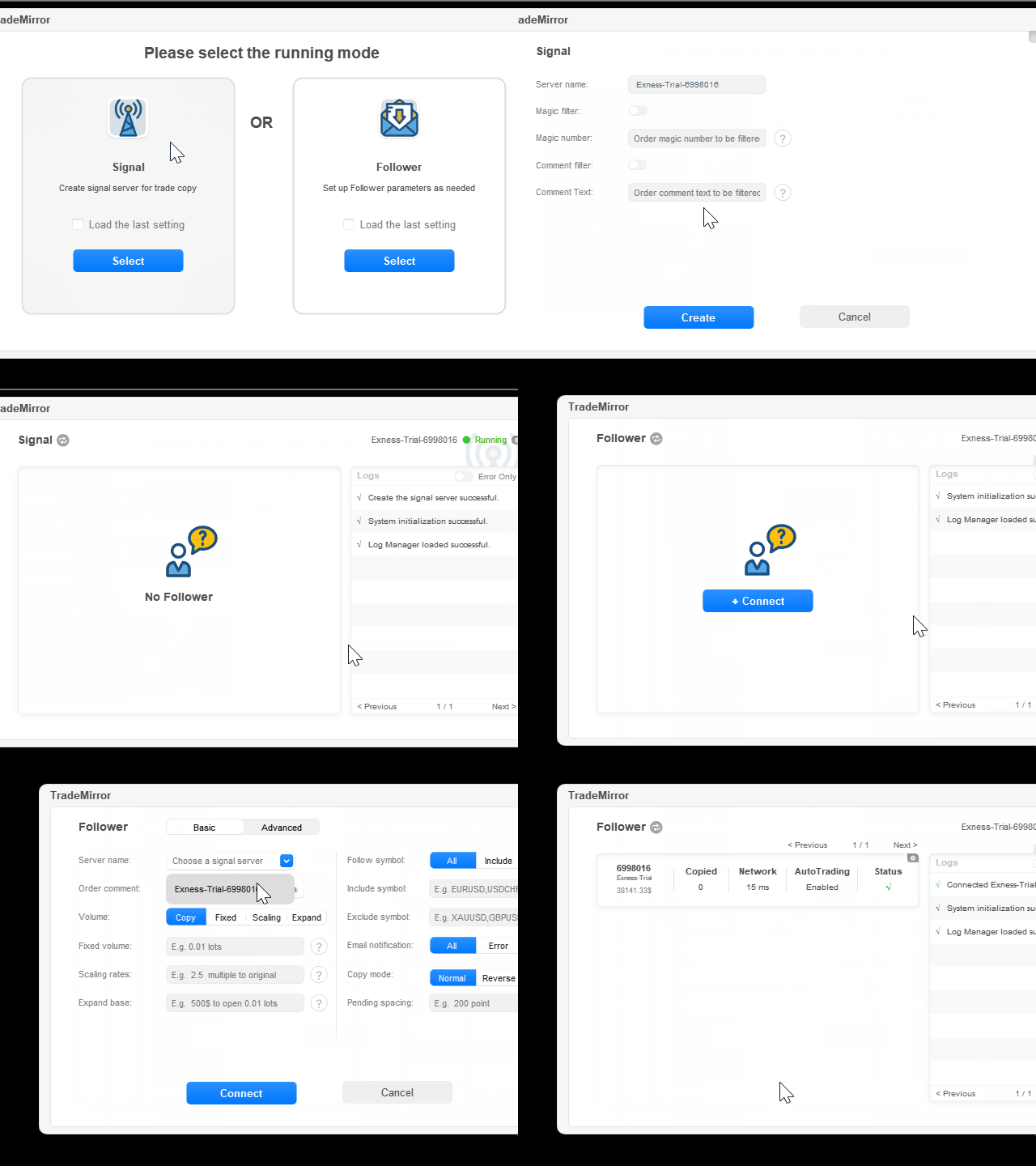
Besides stability, what else? To make it convenient for everyone to use, I developed a new graphical interface, so users no longer need to struggle with various parameters. This graphical interface didn't exist before, and I invested nearly 50 hours perfecting it.
What about performance? TradeMirror supports one-to-many, many-to-one, many-to-many copying, MT4-to-MT5 copying, and cross-platform copying. Will there be performance issues? The answer is no. I have optimized the code to the greatest extent possible. The performance of the copier depends more on your computer/VPS performance and the platform's network latency. When the master and copier accounts are on the same platform, 99.99% of the time, the copy prices are completely identical.
Anything else? To be responsible for my own funds, I added an email notification feature, so you no longer need to log into your VPS or computer to check the copying status; to meet the needs of a few users for partial order closing copying, I built support for the partial closing function at the kernel level; to address the issue of inconsistent symbol names across platforms, I developed an intelligent symbol recognition system.
Admittedly, as the number of TradeMirror users gradually increases, I will encounter some unprecedented issues and even bugs. I have been continuously updating TradeMirror. As soon as a bug is confirmed, it will definitely be fixed in the shortest time possible. For new feature requests, I will also record them one by one and strive to implement them in new versions, because I know that it is with the support of loyal users that I have been able to update TradeMirror to its current state step by step.
## Interface Screenshots
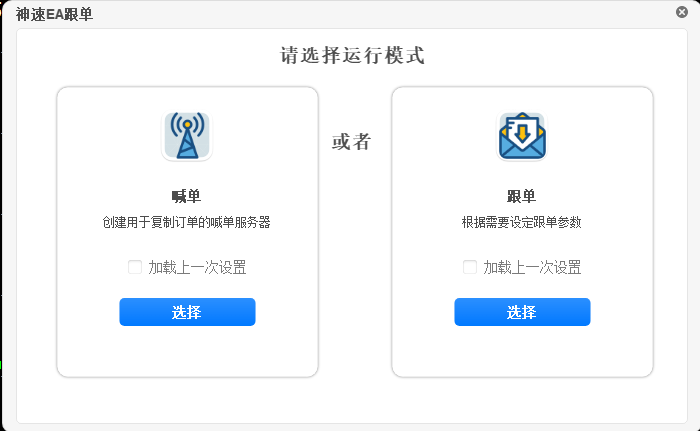
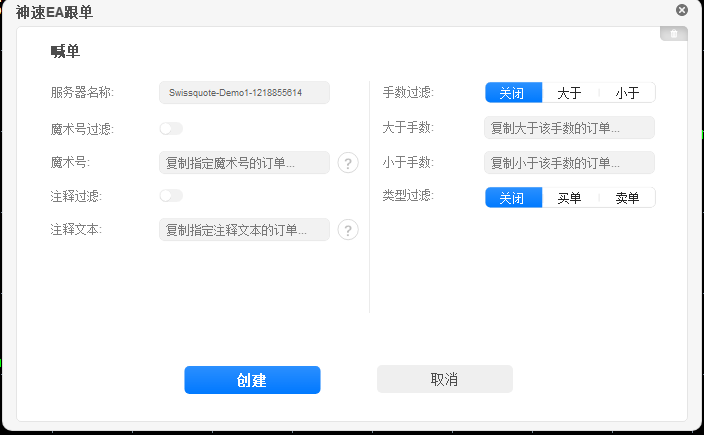
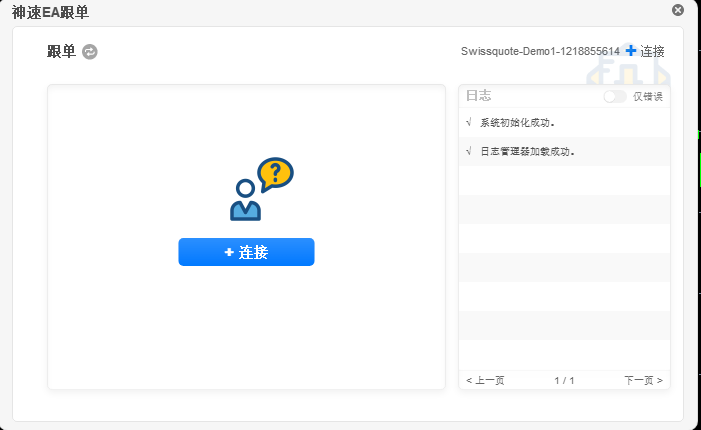
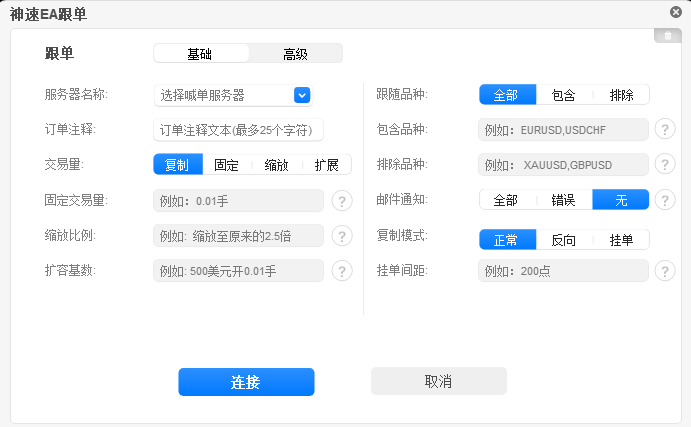
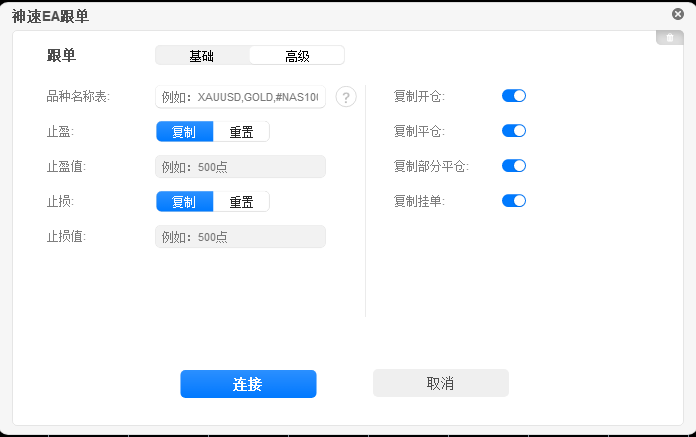


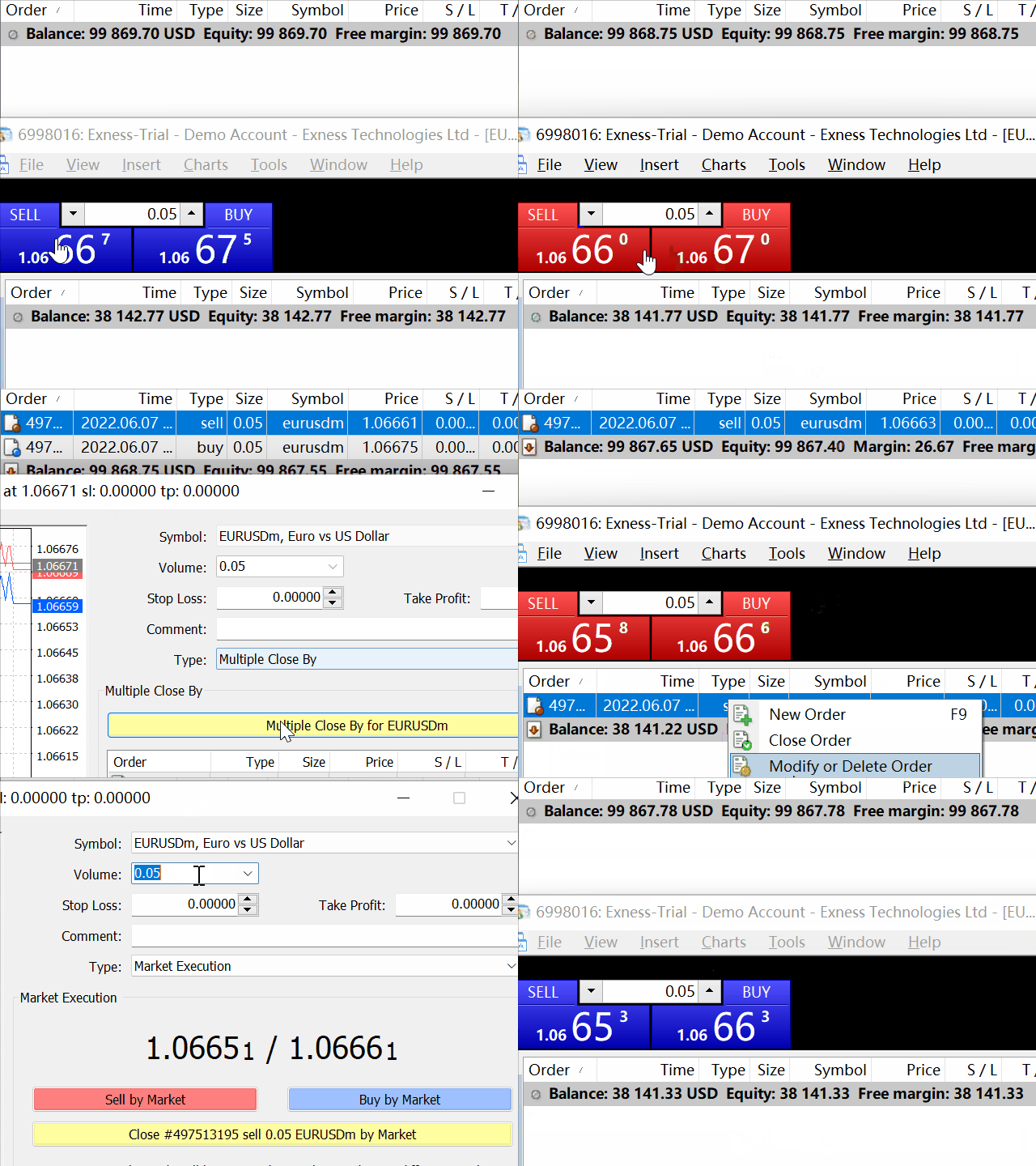
## TradeMirror CN Version ex4/ex5
### Download Link
https://www.waihuituan.com/upload/神速EA跟单最新版.zip
### Purchase License Code


[License Code Website] https://ea.waihuituan.com
Enter the license code website, add the group owner's WeChat/QQ to make a purchase.
### Installation Method
- Download the CN version file
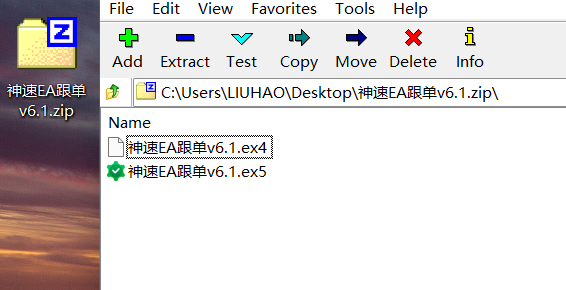
After extraction, you will get two files. The ex4 file is for MT4, and the ex5 file is for MT5. - Open MT4/MT5, click "File", and select "Open Data Folder"

- In the data folder, navigate to the corresponding path. For MT4, it is MQL4/Experts. For MT5, it is MQL5/Experts/Advisors


- Copy the corresponding ex4/ex5 file into the above folder. Return to MT4/MT5, right-click in the Navigator > Expert Advisors menu, select "Refresh", and you will see the EA. Double-click the EA to load it.


## MQL5 Market Version Link
### Download Link
- MT4 Version: https://www.mql5.com/zh/market/product/117749
- MT5 Version: https://www.mql5.com/zh/market/product/117751
### Installation Method
The following uses the MT4 client as an example to illustrate how to install TradeMirror from the official market (the MT5 client operates similarly):
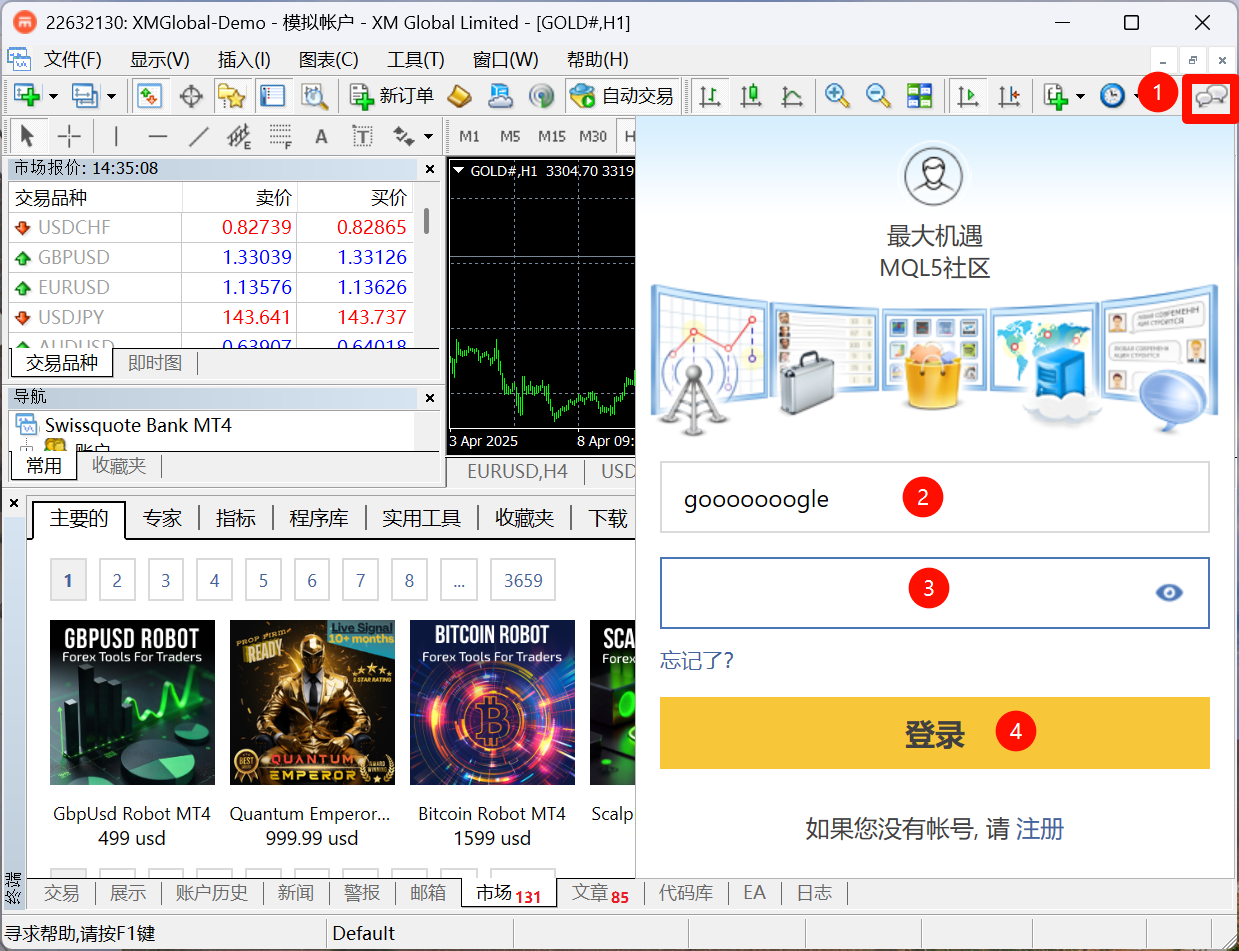
- Click the bubble button in the upper right corner to log into MQL5 (if you haven't registered, you need to register first)
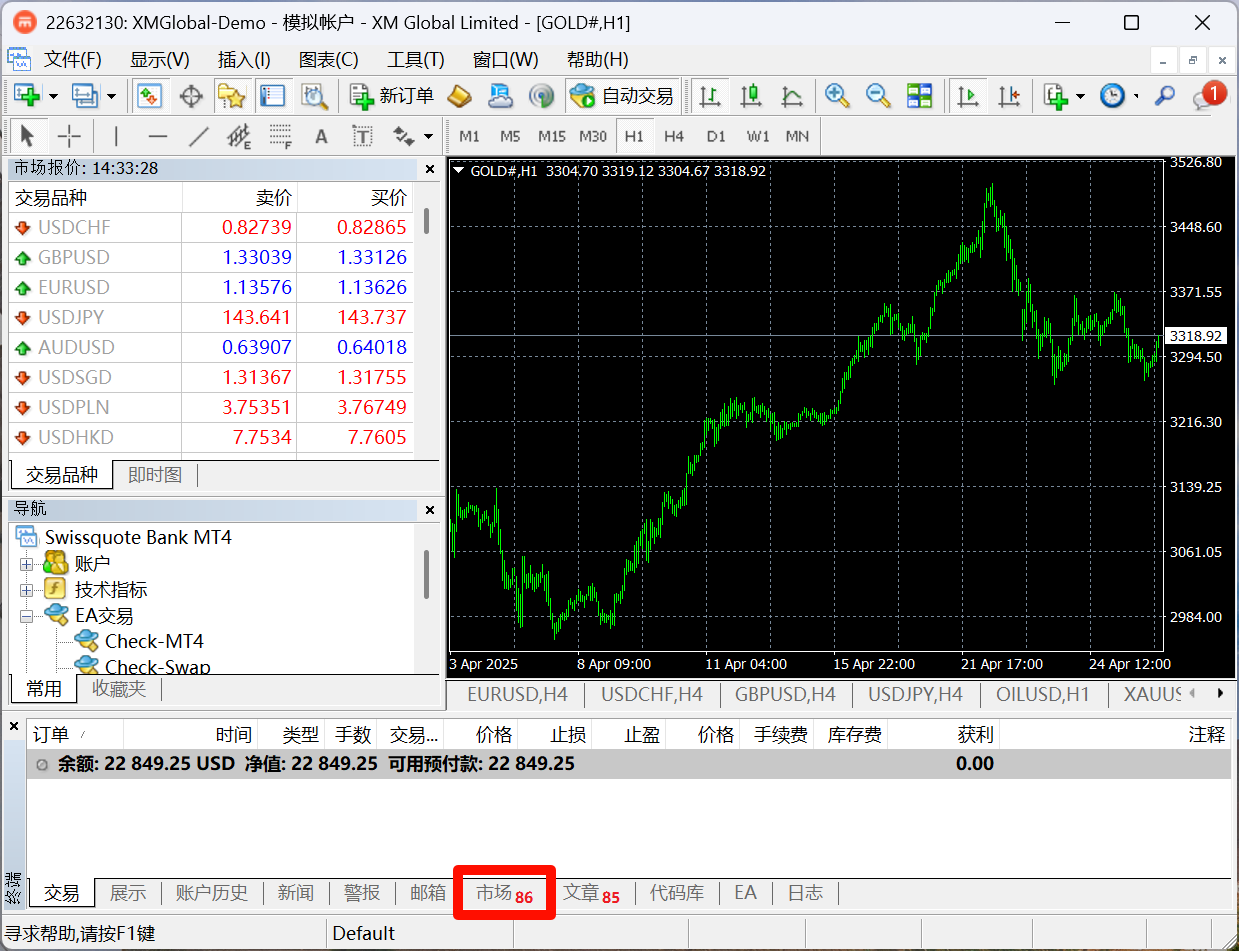
- At the bottom of MT4, click Market to enter the MQL5 Market
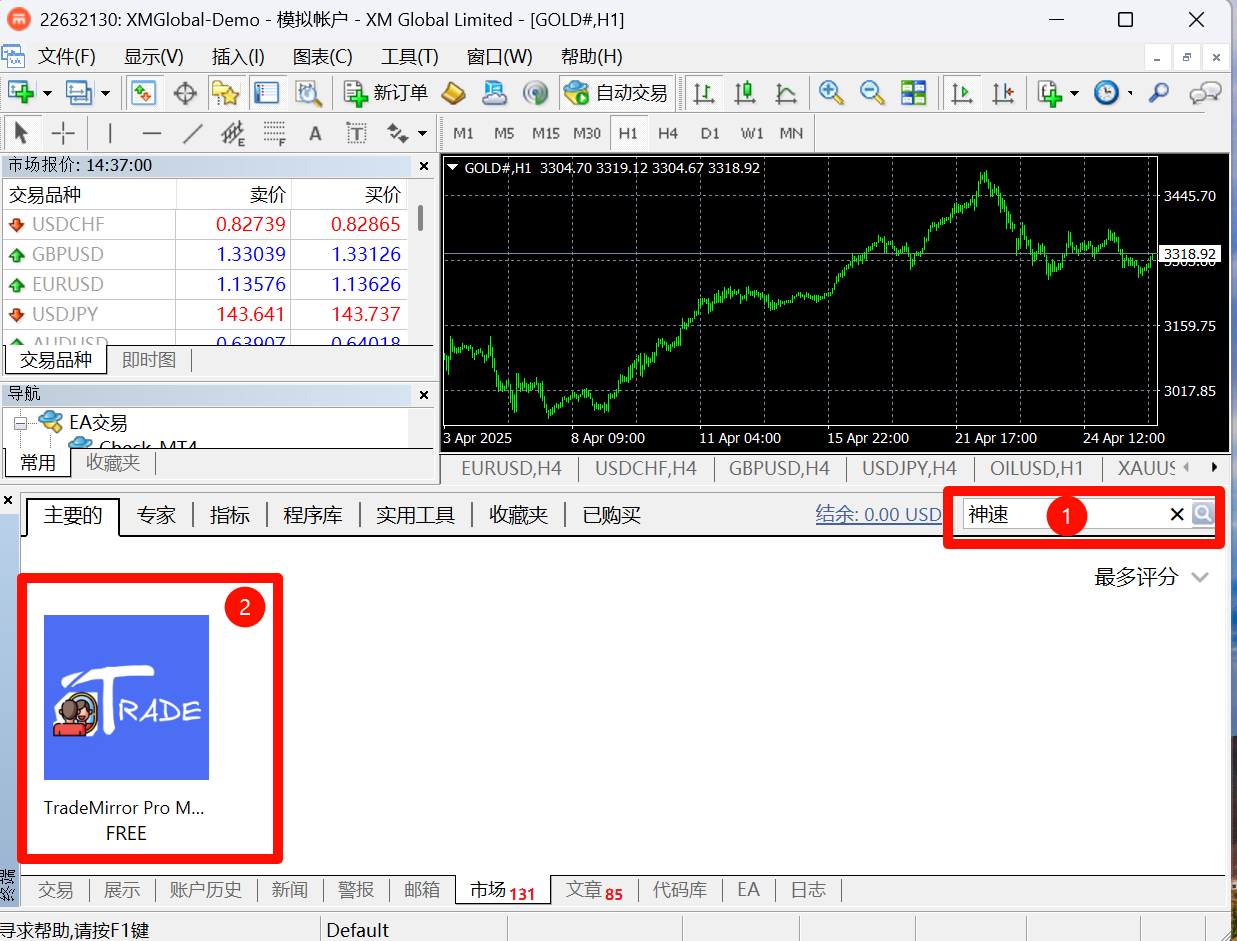
- Enter 神速 in the Market's search box, and you will see the TradeMirror icon on the left
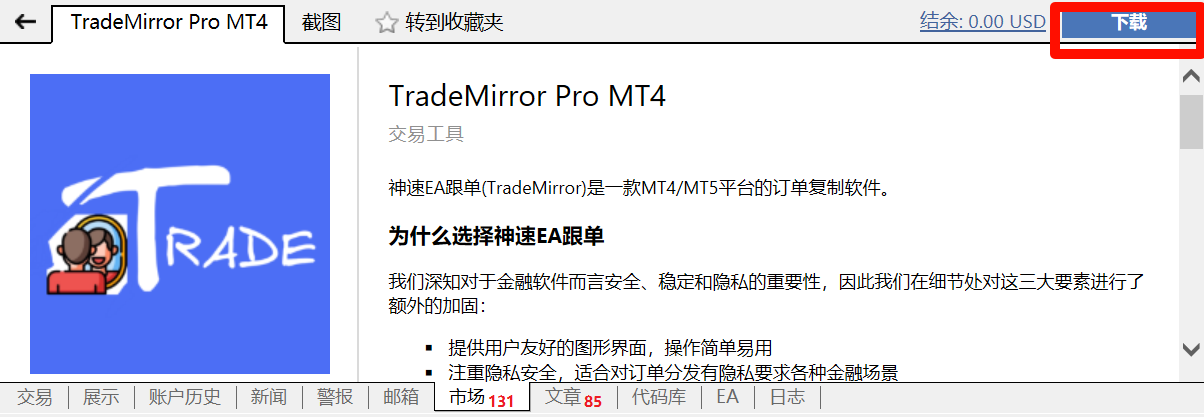
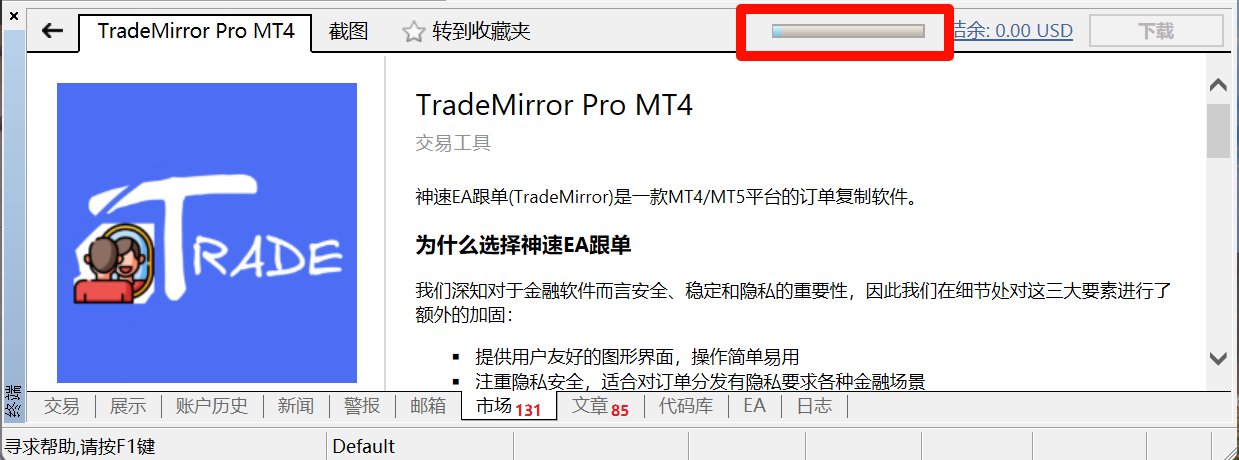
- Click TradeMirror Pro Mt4 to enter the TradeMirror page. After making a purchase, click the Download button in the upper right corner of this page (or install it from the My Purchases page)
- Wait for the download to complete (internet speed in China might be slow, please be patient)
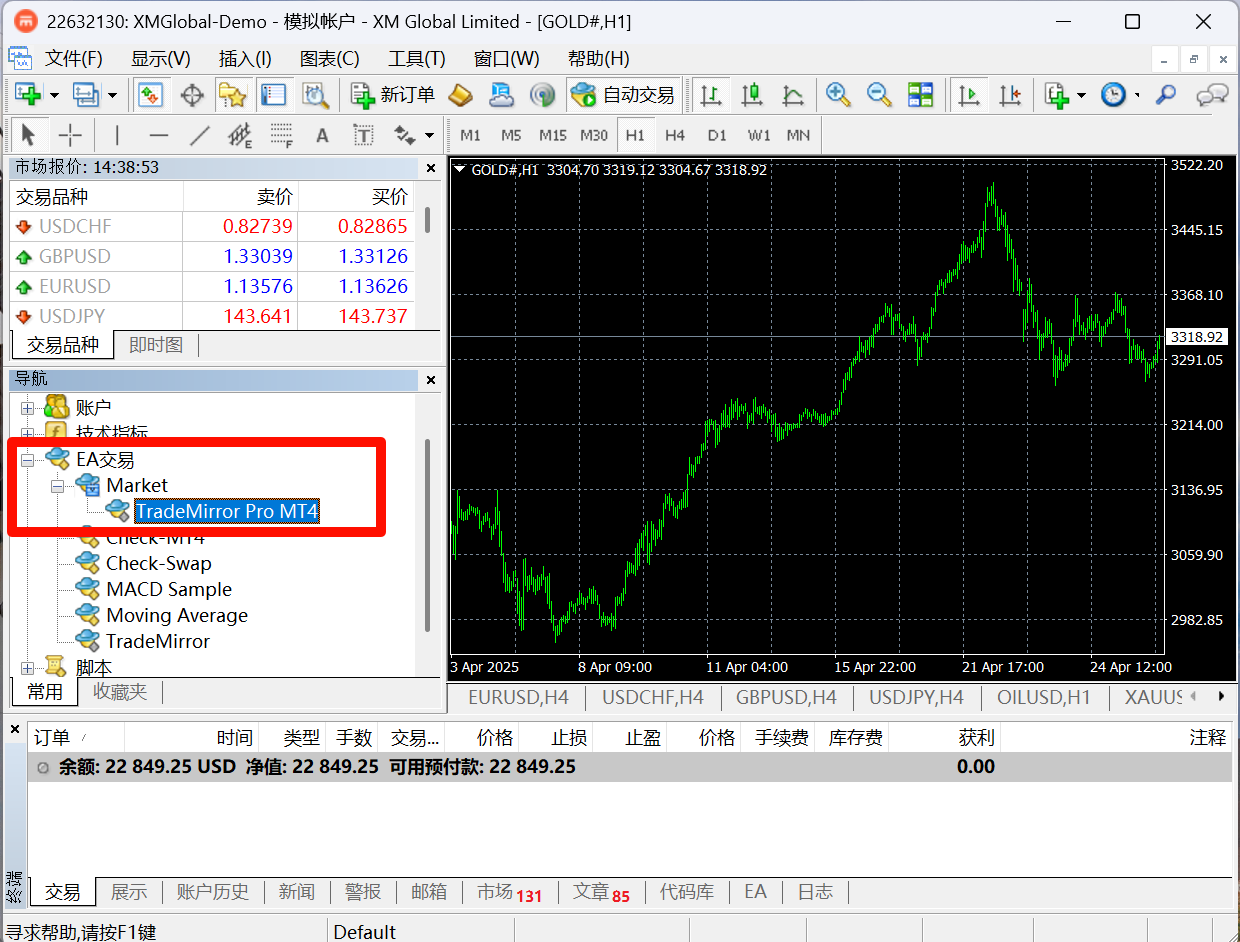
- After the download is shown as complete, in the Navigator area of MT4, expand Expert Advisors, then Market, and you will find TradeMirror Pro MT4 (TradeMirror). Double-click to run it.
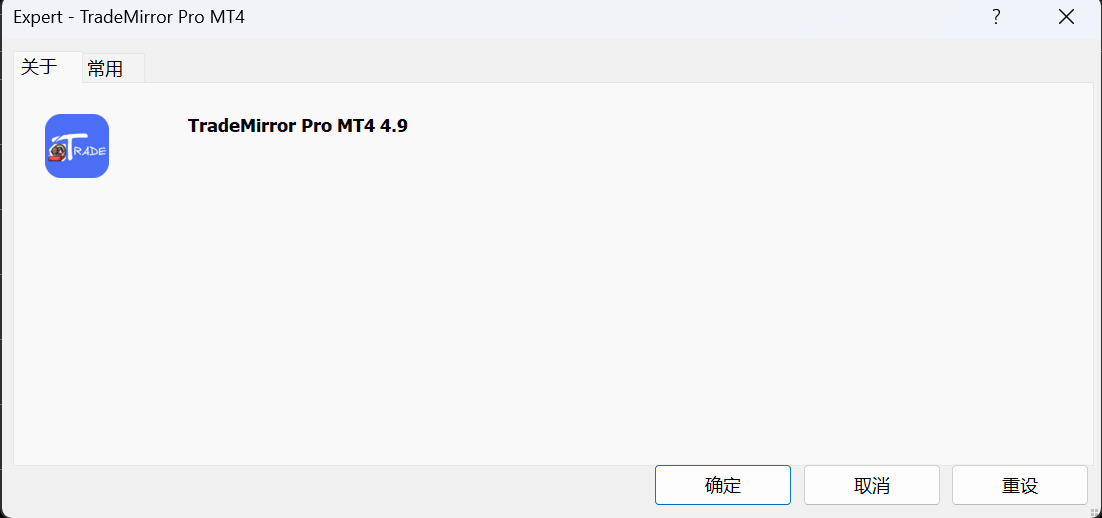
- The following is the TradeMirror loading interface
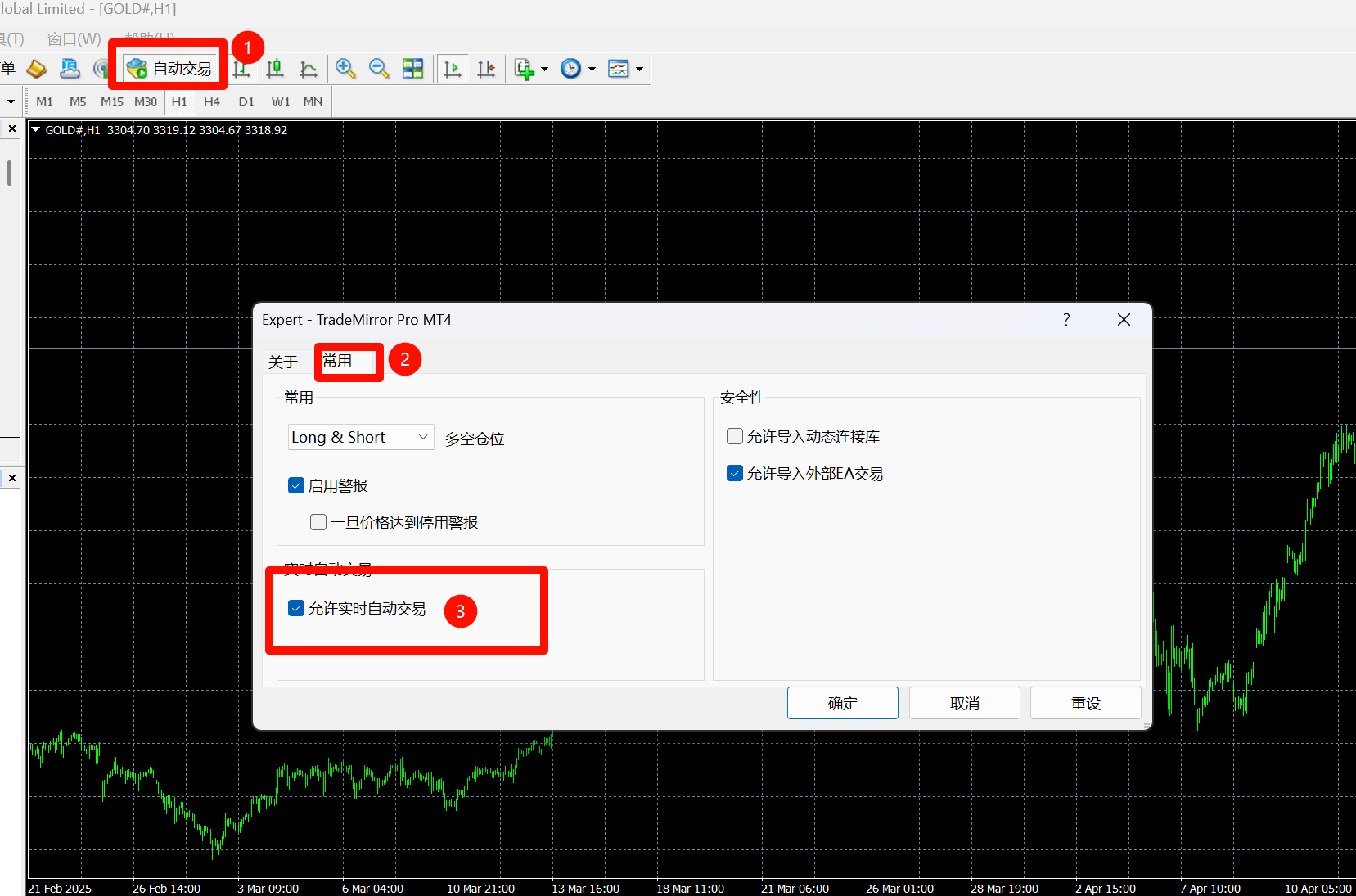
- To run TradeMirror normally, please ensure Allow Algo Trading is enabled
- If a new version of TradeMirror needs updating, find Trademirror on the "Purchased" page and click the update button to upgrade.


Usage Suggestions
Thank you for your interest in and use of TradeMirror. Regarding common issues, our usage suggestions are as follows:
- For users new to the MQL5 Market, you can read this article to learn how to purchase and use EAs from the MQL5 Market.
- Use a demo account to learn how to use the software, and test thoroughly before moving to a live account.
- Keep Algo Trading turned on.
- Enable the email notification feature to stay informed about the copying status.
If the above suggestions do not resolve your issue, please feel free to contact us through the product's comment section or via private message.
Frequently Asked Questions
Q: Is the paid MT5 version of TradeMirror a one-time purchase?
A: Yes, it can be used without limits after installation. One MQL5 purchase can be installed on up to 20 MT5 terminals (limited by the MQL5 Market). The CN version is bound to 20 accounts.
Q: Can MT4/MT5 mixed copying be done?
A: Yes, it is supported.
Q: What should I do if the download speed from the MQL5 Market is slow according to the instructions?
A: The download speed depends on the connection speed to the MQL5 server. If a network is very slow, try sharing a hotspot from your phone to your computer. If China Telecom is slow, try switching to a China Unicom network.
Q: Will there be missed orders?
A: Based on the information I have gathered, if missed orders occur, 99% of the time it is an issue with the trading platform. This situation is actually extremely rare.
Q: What are the advantages of local trade copying compared to API trade copying?
A: Each has its own merits. The biggest advantage of local trade copying is stability. EAs running under MT4/MT5 are constrained, providing a high level of security. The EA cannot read sensitive data like your account password. If you have confidentiality requirements, you should prefer a local trade copier EA.
Q: Why does the TradeMirror interface in my MT4 Market always show an old version? How can I download the new version?
A: If there is stubborn page caching, close MT4/MT5, delete all files in the %AppData%\MetaQuotes\Terminal\Community directory, and then restart MT4/MT5 to re-download the EA from the TradeMirror product page.
Q: MT4/MT5 prompts me that the EA has an update. Where do I update it?
A: In the MT4/MT5 Market, there is a "My Purchases / Purchased" page. Go there, and if there is an update available, you will see an update button for the EA.
Still Have Questions?
You can join the group for inquiries: Forex Group QQ 465804752


Changelog
Version 6.1 2026.03.04
fix: Fixed a bug causing text not to display due to MT5 build 5440
____________________
No need to update for MT5 builds below 5440!
No need to update for MT5 builds below 5440!
No need to update for MT5 builds below 5440!
Version 6.0 2025.08.20
feat: Performance optimization
Version 5.9 2025.07.18
fix: Fixed a rare order opening bug
Version 5.8 2025.06.09
feat: Added window minimization function
Version 5.7 2025.06.06
fix: Optimized system performance
Version 5.6 2025.06.05
fix: fix issues in 5.5
Version 5.5 2025.06.05
fix: Fixed a minor issue in risk management
Version 5.4 2025.06.03
fix: Corrected a bug where setting the close-all interval to "None" had no effect
Version 5.3 2025.05.29
fix: Corrected a bug where signal provider latency was displayed incorrectly
Version 5.2 2025.05.29
feat: Optimized email notification content
chore: Optimized program performance
Version 5.1 2025.05.28
feat: Added option in settings to not copy Stop Loss/Take Profit
fix: Optimized notification delivery rate, added message notification queue
Version 5.0 2025.05.27
fix: Corrected a bug where partial closing was not processed when scaled lot size was set
fix: Corrected risk management close-all bug
feat: Added automatic recognition for GOLD and SILVER names
feat: When scaling lots is enabled, if the scale ratio is left blank, scaling is automatically applied based on the follower/signal provider balance ratio
Version 4.8 2024.05.24
feat: Added automatic symbol suffix recognition and manual setting function
Version 4.2 2022.11.07
fix: Fixed a rare bug in automatic symbol name recognition
Version 3.8 2022.11.07
feat: Added feature to temporarily disable/enable a connection by clicking the "Enabled" text under "Algo Trading"
Version 3.6 2022.07.21
fix: Fixed "off quotes" errors on some platforms
Version 3.3 2022.07.05
fix: Bug fixes related to pending orders
Version 2.8 2022.06.21
fix: Fixed a bug where the platform failed to correctly identify symbol names
Version 2.5 2022.06.15
feat: Check if the platform is connected when creating/connecting to the signal provider server
Version 2.2 2022.06.15
Modification: Default email notification setting changed to "None"
Version 2.0 2022.06.08
feat: Graphical interface
feat: Added advanced features such as converting market orders to pending orders
fix: Fixed a bug where partial closing occasionally failed in rare cases